
Software
Services
Resources
Machining Corrector closes the loop between inspection data and CNC corrections.
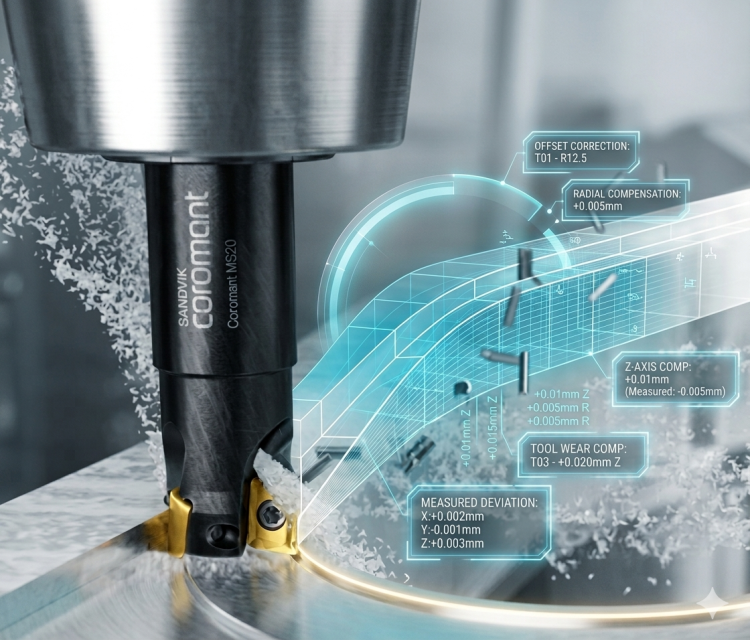
In most machine shops, CNC corrections are still based on operator judgment — not data.
Someone estimates how much to adjust the offset — based on experience, intuition, and trial runs.
Each iteration costs machine time, consumes material, and delays delivery.
The tighter the tolerances, the longer the loop.
Machining Corrector reads your inspection results, computes the correction, and outputs the exact values to apply to your CNC offsets.
Every offset is calculated from inspection data — not estimated from experience.
Load the inspection report, apply the correction, run the next part. No wait time, no extra step.
Predictive Mode shows you what the corrected part will measure — before you start the machine.
Every correction is logged with its inspection data. Audit trail built in, automatically.
Predictive Mode takes the current inspection result and applies the computed correction virtually — showing you what the next part will measure before you start the machine.
Confirm the correction is right. Catch residual errors. Eliminate the verification run.
| Feature | Deviation | State | Predicted | State | % evol. |
|---|
Access directly from Metrolog: Machining → Machining Corrector. The module loads your current part environment — geometry, datums, coordinate system — with no additional configuration required.


Select your reference features and measured surfaces in the Evaluate Machining Operation dialog. Machining Corrector analyses the measured deviations and computes the 6-DOF transformation required to bring the part back into tolerance.
The corrections table gives you the exact offset values — X, Y, Z, and rotations — to enter into your CNC controller. Each value is tied to the inspection result that generated it. Apply, re-run, confirm. The loop is closed.

Watch how a CNC programmer loads an inspection report, runs Machining Corrector, and outputs the offset correction table — without leaving Metrolog.
You run the machine. Machining Corrector gives you the exact offset values to enter directly from the inspection report — no manual calculation, no interpretation, no guesswork. You apply, run, confirm. That’s it.
You define the machining strategy. Machining Corrector gives you measured data to tune it — and Predictive Mode lets you validate the impact of each adjustment before committing to a new run. Faster convergence. Fewer surprises.
See Machining Corrector on your own parts — 30 minutes, no commitment.
"*" indicates required fields
Machining Corrector runs inside Metrolog — it shares the same part geometry, the same datum framework, and the same inspection logic you already use. No additional tool to learn, no file export, no parallel environment.
Available as a bundle licence within the Manufacturing Quality Pack. If you already use Metrolog, your upgrade path is shorter than you think.
The Manufacturing Quality Pack connects three capabilities into one continuous workflow. Each works standalone — and works better together.
Validate your tolerance strategy before the first chip is cut. Apply realistic geometric defects on your CAD model and run GD&T inspection virtually — inside Metrolog.
Break down any deviation into form, size, orientation, and position — in one click, in 3D, directly on the part geometry. Based on ISO 20170.
We're closing the loop on quality at IMTS 2026 — Sept 14–19
OUT NOW : Inspection Flow is live. Centralize your metrology data and close the quality loop.