SOLUTIONS
SOFTWARES
SERVICES
SUPPORT
Are you already a client? Go to your personal space
INDUSTRIES
ABOUT
RESOURCES
QDMWEB QI manufacturing quality management system gives you access to your quality information from anywhere, at any time, instantly. Using Quality Intelligence, automate your quality collection and start reducing your costs with real-time monitoring and powerful SPC tools
Real-time monitoring of your production line gives you constant visibility into your manufacturing quality. Watch for out-of-specification parts, or trends towards out-of-spec scenarios.
Reduce downtime, defects, and non-conformance by giving immediately addressing manufacturing issues, and solve problems before parts can go out-of-spec.
QDMWEB QI gives you advanced SPC analysis.
This comes in the form of dashboards and analysis reports that can be made available to interested parties across your organization.
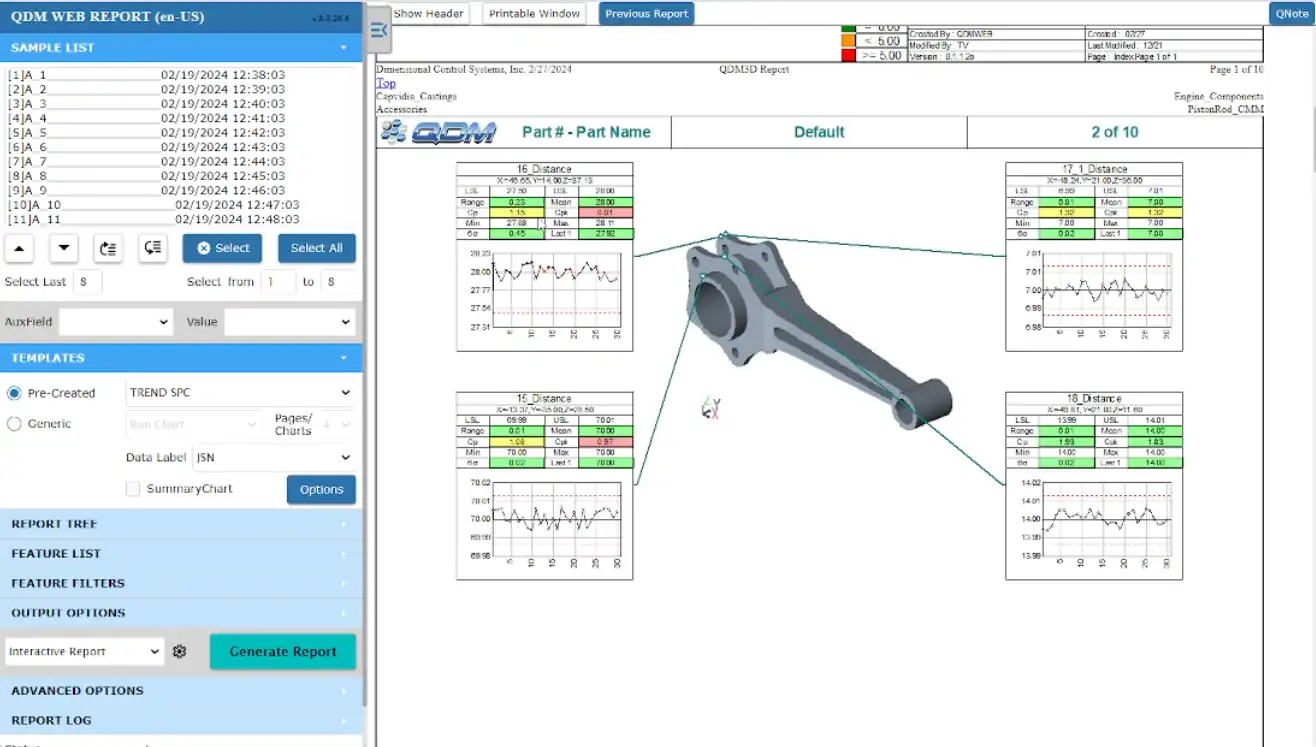
These offer analytics in the form of Cpk, Cp, Ppk, and Pp as well as comparisons, trends, and historical analysis. Choose specific auxiliary fields based on location, time, machine, part, or operator.
QDMWEB QI offers both custom reporting and automated reporting.
Users can choose specific data sets, then select from pre-made forms to automatically generate custom reports in seconds.
Alternatively, users can set up automatic report generation, creating specific reports available when they need them. This can be used to have the previous day’s report always available in the morning or to instantly create historic reports from the previous month, line, production run, or other variables.
Use QDMWEB QI to solve production issues and predict manufacturing problems before they happen.
This gives you the ability to reduce scrap, rework and warranty claims by finding and resolving issues before they become problems.
With trend reports and automated alerts, stay constantly up-to-date on your production quality.
Use custom reports to drill down and find exactly where and why your manufacturing is having issues. Is it a bad part? Is a machine worn out? Is an operator performing poorly? Find the answers you need, fast.
QDMWEB QI collects all of your data and standardizes it, making it available to your team at a moment’s notice.
Put the QDMWEB QI server behind your secure network, or use DCS’s secure Cloud Network to control access and keep your data safe.

Rated 5 Stars by Users Across the Globe
QDMWEB QI quality management systems are all about easy access to your quality data, letting your people get information fast in a way that allows them to make decisions quickly. This gives you secure access to the information you need, from any data source, anywhere in the world, on any device using easy-to-customize and operate interfaces.

Craft personalized dashboards by integrating your preferred widgets, data collections, and sources for seamless monitoring.

For each measurement, monitor up to 10 auxiliary fields to root cause your production issues. Assign Operators, Materials, Machines, Shifts, Tools, and more

Users document Review, CAPA, Action, Comment, General, Root Cause - Quality Notes for Each feature.
Send emails of Corrective and preventive actions to colleagues and track notes – Within the QDMWEB QI System.

Assign causes to specific measurements to add context or exclude as outliers. Assign actions for others to review. See historical tracking of all process changes.

With favorites, drill-downs, automatic reports, and alerts, you will always be able to find the data you need quickly.

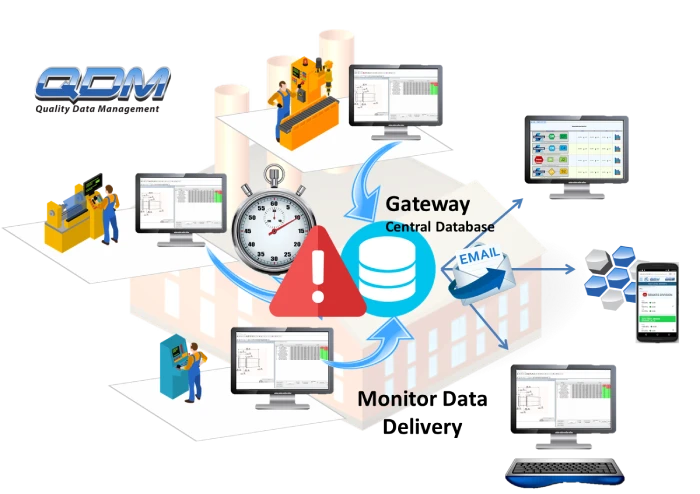
Set up real-time monitors on the plant floor with visual, audio, and email alerts. Utilize interactive mode to assign cause and corrective actions to any issues identified.

Compare between any two datasets or auxiliary fields. See how your suppliers and plants compare to one another. Find out how a new material or supplier is performing compared to existing or previous ones.

See your data live. Instantly chart or graph data to monitor system-wide data sets at the plant level, supplier level, or program level.

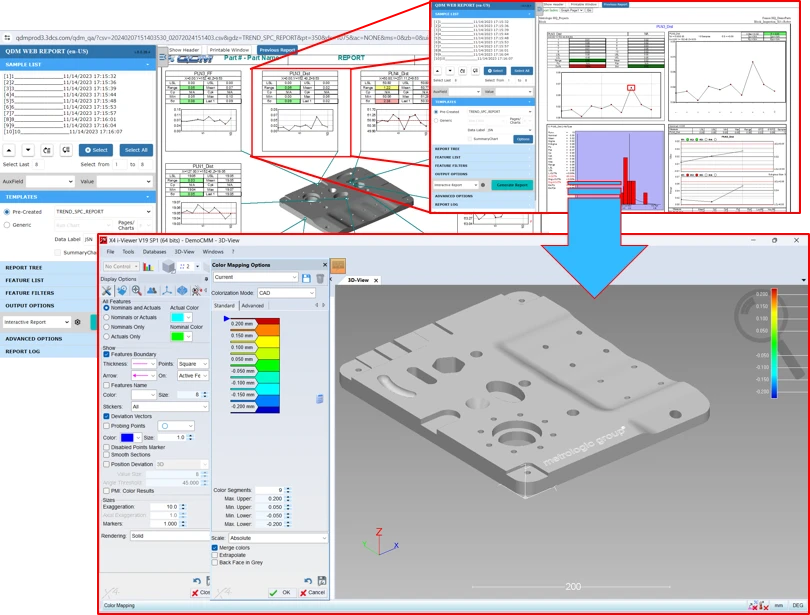
View your dimensional data and analyze it in 3D. See if with color contours to get instant context and showcase trouble areas. Quickly utilize scanned point clouds to get real results.

Use guided instructions with contextual graphics to properly capture hand measurements, gage data, and any manual measurement being performed. Leave no data behind!

Access all of your data on the go from your phone or from a tablet on the plant floor with responsive designed UIs.
Your data is secure behind your firewall or on the cloud protected by top-of-the-line security.
Stay hardware agnostic so your plants can use any vendor.
Get all your data in standardized formats so it is easy to understand and use for decision-making.
Configure QDM to fit your organization, not the other way around.
Stay up-to-date with dashboards and alerts that constantly refresh.
Connect your supply chain to your QDM SPC Platform to both let them check their quality, and to check the quality of supplier parts before they ship.
Log in from any secure web browser on any device - phone, desktop, laptop, tablet.
Use a combination of automated reports, custom reports, dashboards, and alerts to know everything going on in your organization and create a single source for quality information.
Put the QDMWEB QI server behind your secure network, or use DCS’s secure Cloud Network to control access and keep your data safe.
The software I use is predominantly QDM WEB, and I use it to review data for assembly level and use it to mature our quality looking at trend charts, performance over time, predominantly using run charts. The greatest advantage of using the QDM software is that it is all in one place whether it is single panel assembly, supplier data, or own data, it is all there at my fingertips with just a couple of clicks.
Jon Tongue - Maturation Engineer, Jaguar Land Rover
Let’s get started on your Quality Journey