
How to Quickly Add Points, Moves and Tolerances to Your 3DCS CAD Model
This Back to Basics article covers a number of ways to quickly add Moves, Tolerances and Points to a 3DCS model
Anyone who has worked with CAD knows that the most time consuming task is preparing the model for analysis. This process is the ‘necessary evil’ in order to get the results you need to make decisions and validate your GD&T. This is, of course, needed in order to model assembly joints and constraints that mimic the real world. There are, of course, ways of speeding up the process.
(These tips and features are available in all versions of 3DCS: CATIA Integrated, NX Integrated, Creo Integrated, 3DEXPERIENCE [V6] and Multi-CAD)
Creating Points: Fast Point
Fast Point instantly creates a point, letting you add points to surfaces, edges and parts quickly or in succession.

This will allow you to quickly add points along an edge or surface, such as when you want to create multiple point to point measurements along a gap.
Creating Moves Tolerances and Measures: Right Click Menu
Use the Right Click Menu to add new Moves, Tolerances and Measures to your model.
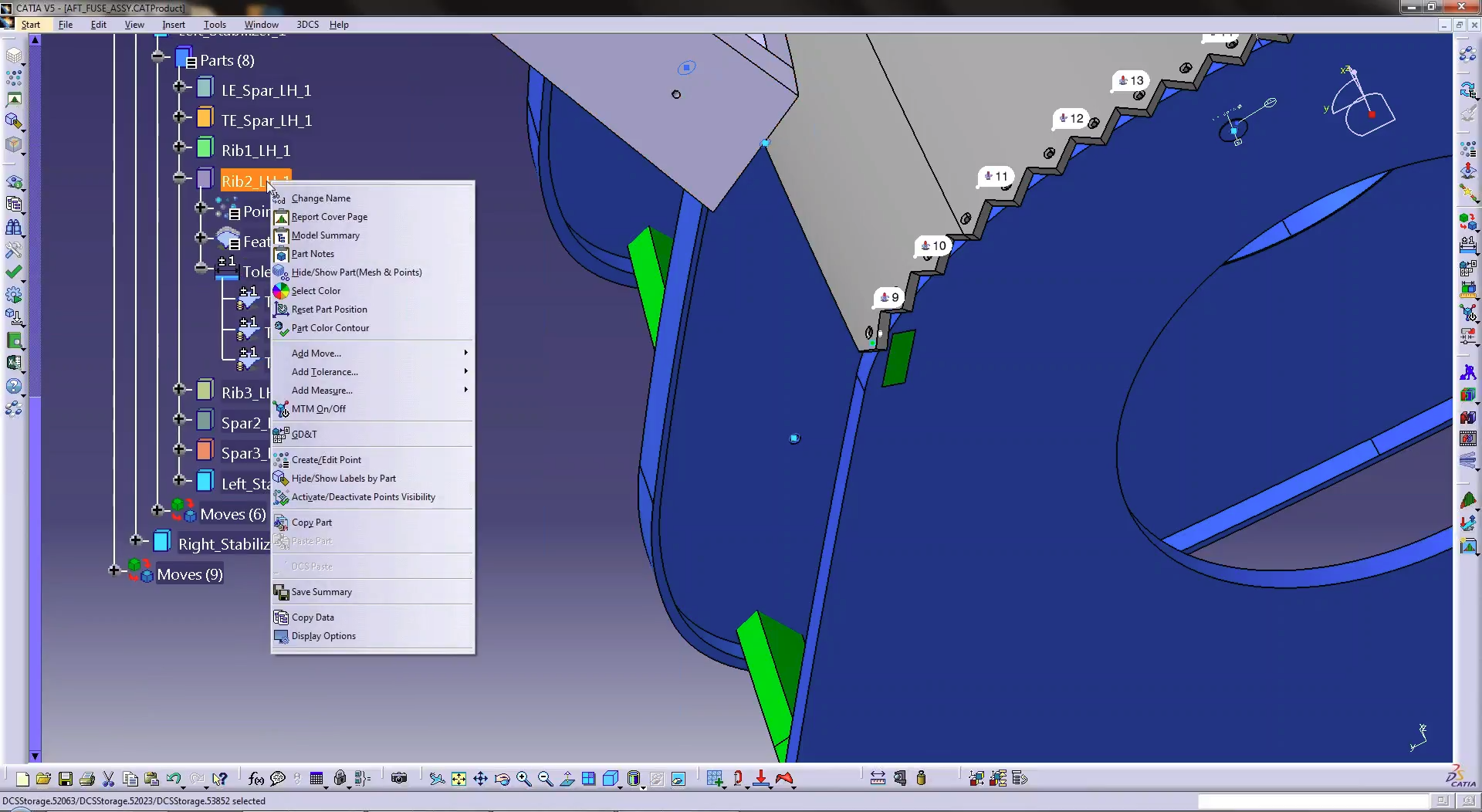
- Add MTM’s directly to the parent part
- Insert new MTM’s within an existing list
- Add a tolerance directly to a feature
Duplicating Points? Use the Point Dialog Box
Use the Points Dialog Box to copy points quickly in your model.
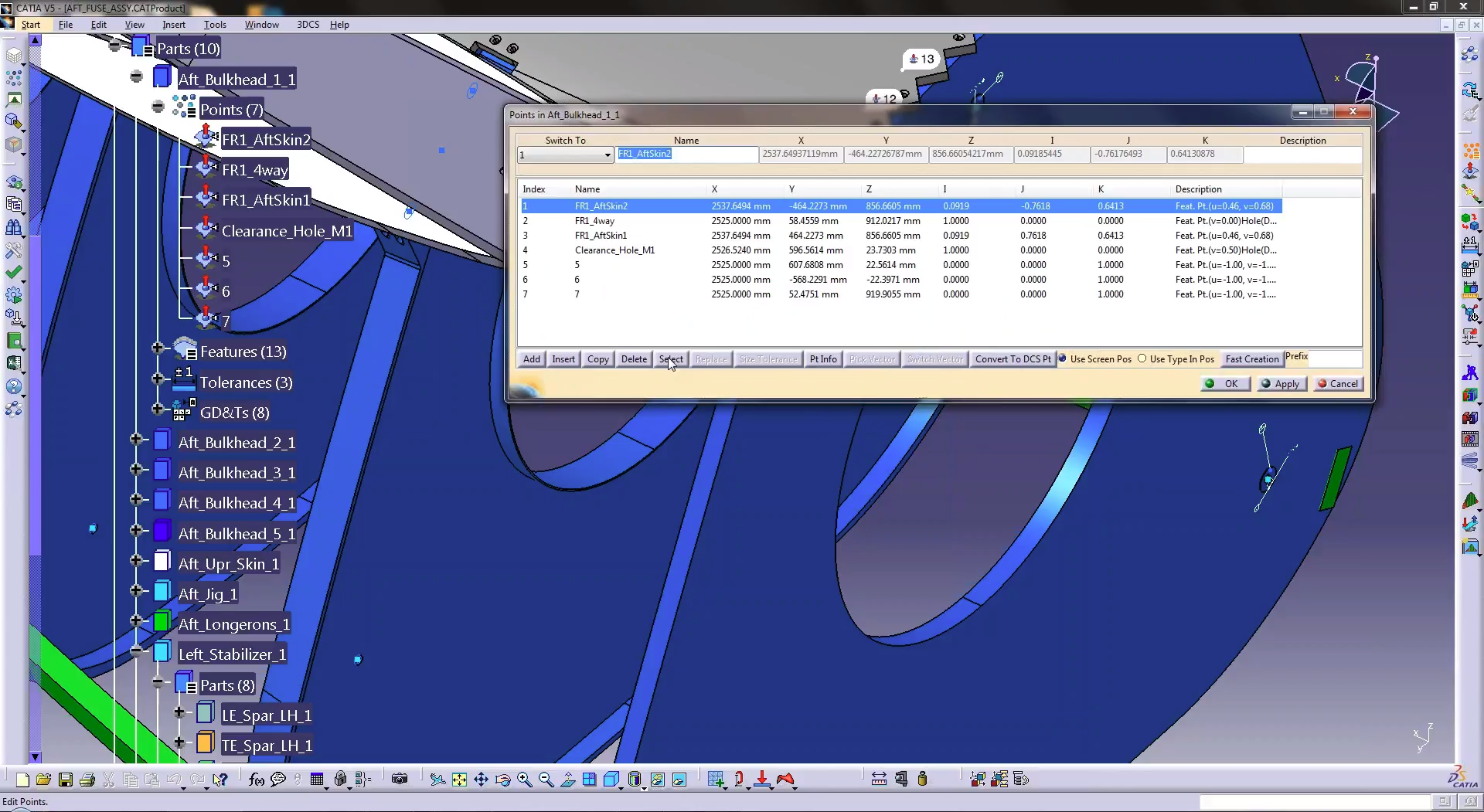
- Used for copying individual points
- Creates DCS Points
Keep your eyes out for more Back to Basics articles coming soon.
Looking for all of these tips and more? Watch the Performance Improvement Webinar with these 3 tips, plus 6 more!